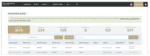
Distinguished’s multi-pay invoice functionality streamlines your payment process, allowing you to submit payments for multiple policies in a single transaction and receive supporting receipt details for each.
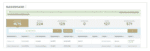
Your broker statement includes the necessary details to take advantage of this feature. Scroll down for step-by-step instructions to get started.

To submit a multi-policy payment, please follow these steps:
- Visit Distinguished: Payment Portal
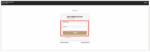
- Enter the first policy number from your broker’s statement you wish to pay. The information related to the policy, including the amount due will be returned on the payment summary page.
- Click “Pay Another Policy” to add additional policy numbers.
- Once all policies have been entered, click “Continue”
- Update the confirmation address (email and physical) to your own.
- Enter your banking information as instructed and click “Continue”
- A subtotal amount will appear. If correct, click “Authorize” to complete the transaction.
- Receipts will be sent to the email address entered in Step 5. Payments will be applied within 24 hours.
If you have any questions or require assistance, please reach out to [email protected] or call (888) 355-4626.